◢◢ Doppler
Doppler is the uncomplicated way to sync, manage, orchestrate, and rotate secrets across any environment or app config with easy to use tools.
Installation
# Install dependency & doppler CLI tool
brew install gnupg
brew install dopplerhq/cli/doppler

# Assert that it's working ok :)
doppler --version
doppler update

# Authenticate
doppler login

# Pick project & stage
doppler setup
Local usage
Use the doppler run command to fetch variables from the cloud and inject them
as environment variables into the process, e.g.
doppler run -- yarn dev
Since we have multiple projects, we'll want a doppler.yaml file per project,
e.g. for /apps/jarb
setup:
  project: jarb
  config: dev
Then when using doppler run from that directory, it'll automatically use the
jarb doppler store.
Live usage
In production environments, Doppler uses Service Tokens which provide
read-only access to a specific config within the project.
doppler configs tokens create --project your-project --config your-config token-name --plain
https://docs.doppler.com/docs/enclave-service-tokens#using-service-tokens-with-the-cli
Offline use
For offline use Doppler provides Secret Fallback Files.
When using the doppler run command, the CLI automatically creates a fallback file containing an encrypted snapshot of the current secrets in JSON format to Doppler's system configuration directory.
So if for whatever reason there's no network access, then Doppler will use this encrypted fallback file automatically.
Local env overrides
You can use the --preserve-env flag in doppler run to ignore any environment
secrets that are already defined in the environment, in practice using a local
.env file this would look like:
dotenv -e .env -- doppler run --preserve-env -- yarn dev
Firstly using dotenv to load the local .env file, then using doppler to
fetch secrets from the cloud/fallback file, with the vars from the .env not
being overwritten by doppler.
Vercel integration
- Click
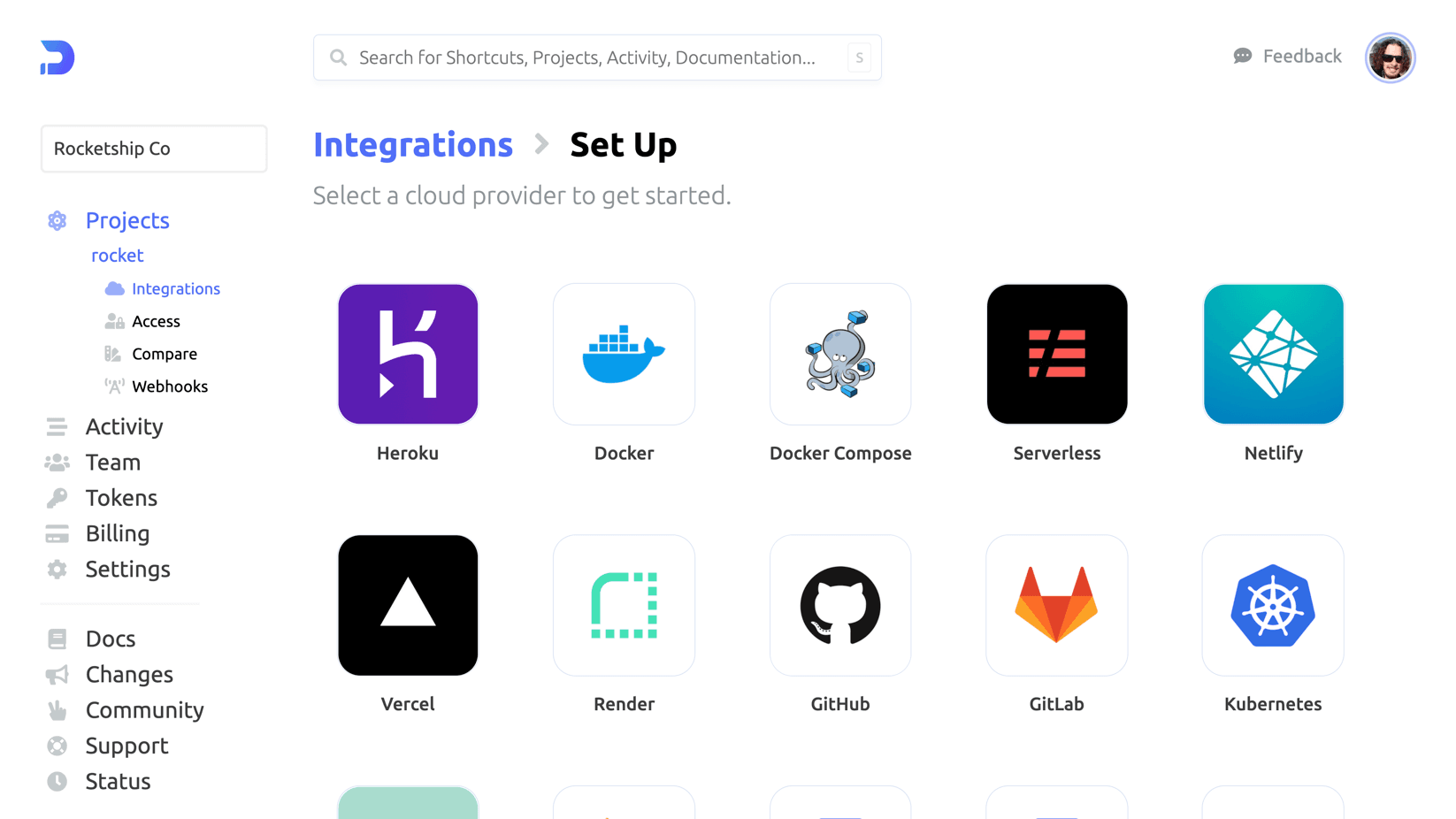
Integrations>Projects, then clickVercelto begin the authorisation process.
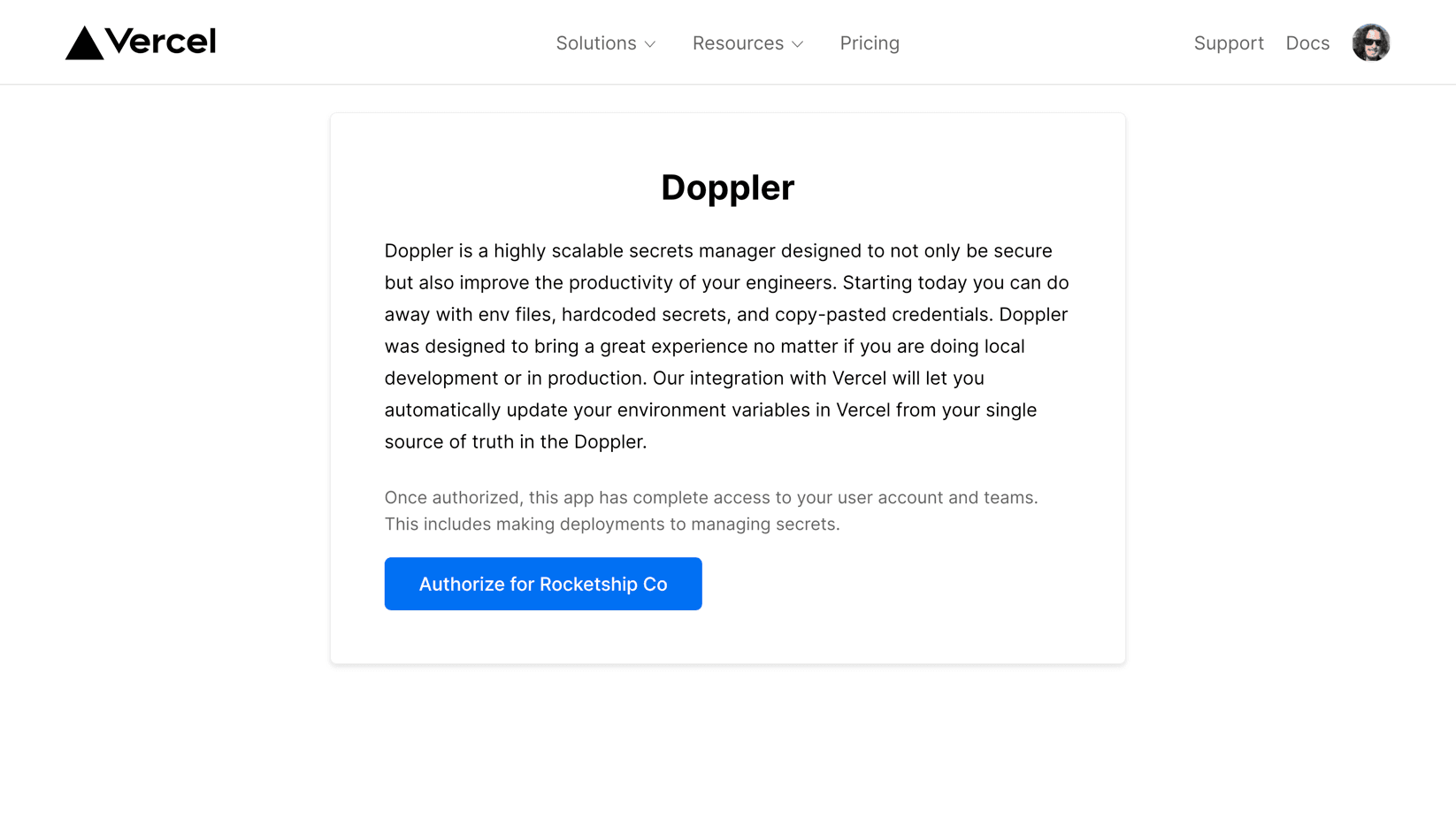
- Once at the Vercel page, click
Authorize
- This'll take you back to the Doppler
Setup Integrationpage where you link up the Doppler project & config to the Vercel project & stage
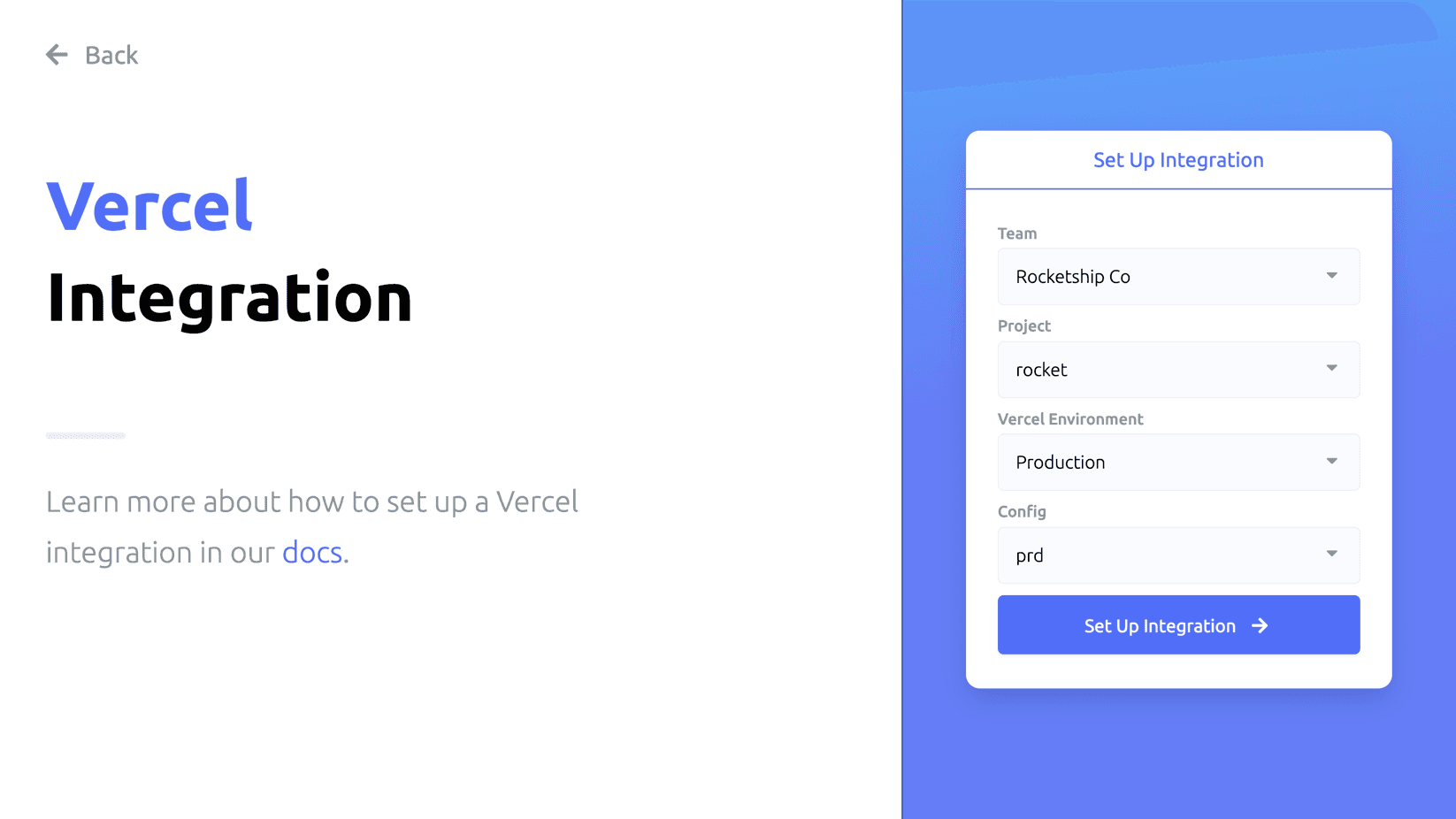
- Then click
Set Up integration& the secrets will be synced from Doppler to Vercel :)
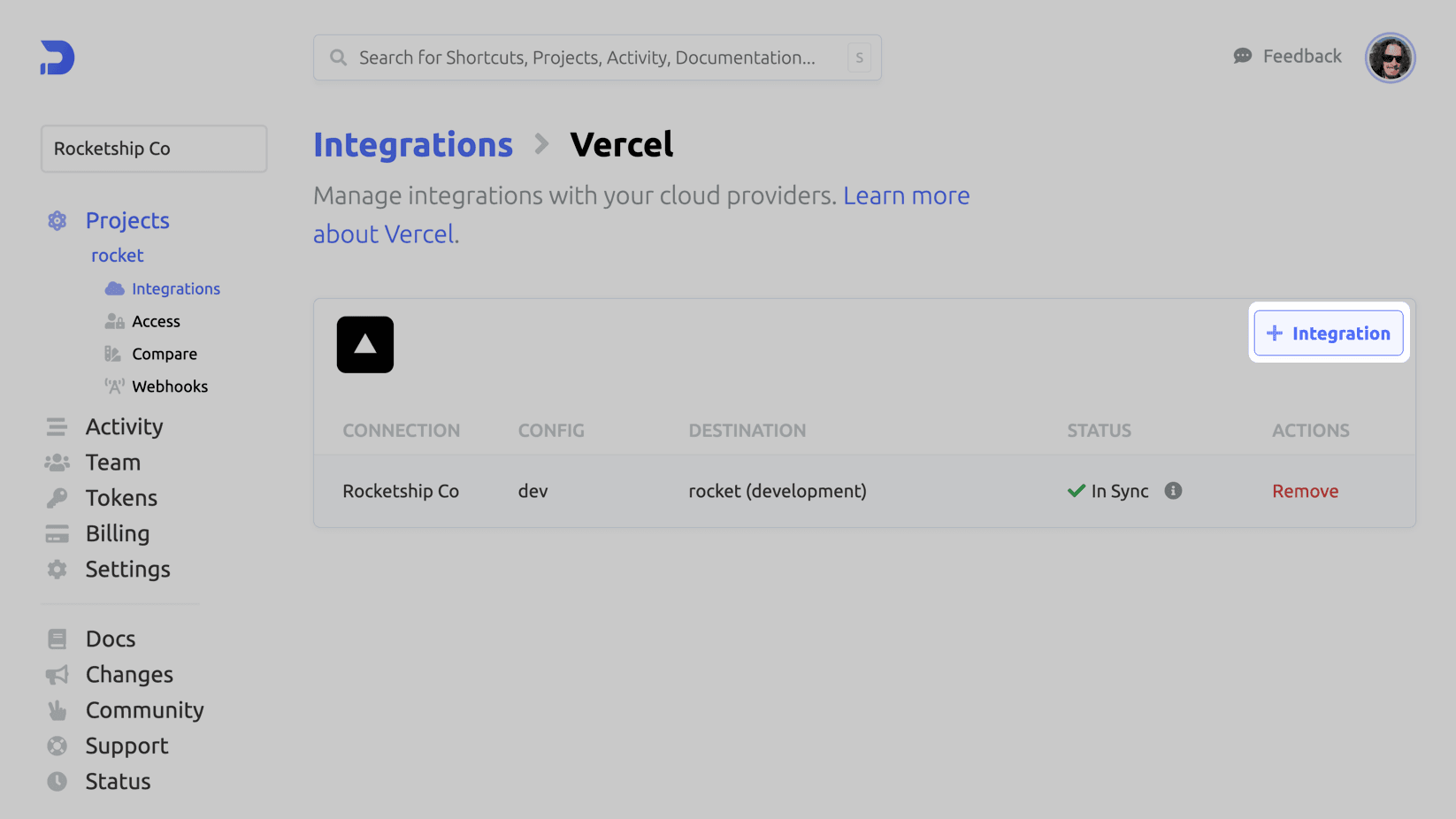
For any other stages, you can navigate to the Vercel integration in Doppler and
click the + Integration button to setup other projects/stages.
See https://docs.doppler.com/docs/vercel & https://vercel.com/integrations/doppler for full guides.
Render integration
- Create a Render API Key from the Render account settings
- Authorise the Render Doppler integration from
Integrations>Projects>Render- Set the name to anything really, it's only to help identify the sync when viewing the integrations for this config
- Enter the Render API Key created from the previous step
- Now you can configure the Render service & Doppler config to use, finally
click
Set Up integration- all done :)
See https://docs.doppler.com/docs/render for full guide.
Github actions integration
- Create a
GitHubenvironment in Doppler, from the project pageOptions>Create environment - Authorise the integration,
Integrations>Projects>GitHub - Choose the GitHub account to use
- Select which repositories Doppler should have access to (
just-about) - You'll be re-directed back to Doppler config setup page, select the repo & config to use (the one we just created)
- Click
Set Up integration- all done :) - Doppler will sync all variables & three additional ones;
DOPPLER_CONFIG,DOPPLER_ENVIRONMENT&DOPPLER_PROJECT
See https://docs.doppler.com/docs/github-actions for full guide.